
Internet
banking
Manage your finances with ease and take care of everything that matters to you online with Postbank Web.
The service has a responsive design, so you can use it from a computer, laptop, smartphone or tablet — at your convenience, anywhere and at any time.



Apply for and activate it entirely online! Log in to Postbank Web and manage your finances from any device, quickly, easily and securely. If you prefer, you can also visit a convenient Postbank branch.
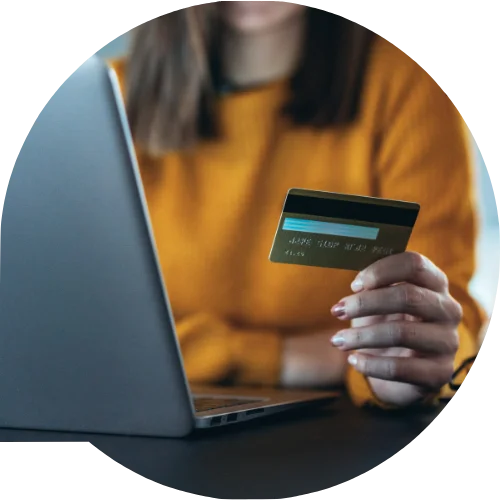
Individual customers who use Postbank Web to access their own accounts and products can now recover a forgotten username on their own, without visiting a branch.
To do this, the customer selects the “Forgot username” option, enters their Personal Identification Number (EGN), email address, and phone number, creates a new username, and confirms the change using an activated m-Token.
Important:
There are limits for a single transfer, a daily limit, and the option to set a monthly limit. The limits are specified in the service agreement.
You can change them yourself in Postbank Web via Rights and Limits → Payment Limits, without visiting a bank branch.
Recommended resolution: 1366×768 pixels.
Windows:
Windows 10 or later
macOS:
10.14 (Mojave) or later
Linux:
Compatible distribution with a graphical user interface and up-to-date components.
Yes. The service features a responsive design and is fully functional on smartphones and tablets. For maximum convenience when using a mobile device, we recommend Postbank App — Postbank’s mobile banking app. Learn more here.
From the Notification Settings menu in Postbank Web, you can choose specific events for which you would like to receive notifications via:
Push notifications on your mobile device
Email notifications to your registered email address.
*The service is available to individuals where the account holder and the user are the same person, including when the account holder is a sole trader or a self-employed professional.
** Full access to all internet banking functionalities.
*** Transfers to own accounts, payment of utility bills and taxes, repayment of obligations under own credit products with the Bank, etc.
Important: Eurobank Bulgaria does not request access codes for services, passwords, bank card numbers, or any other confidential information from its customers via email.
If you receive such a message, do not provide any information and contact us immediately. Full security recommendations can be found here.
The full bank tariff and the general terms and conditions for using the service are available on the Postbank website.
Depending on the browser you use, the relevant components must be installed and the necessary settings configured.
Installation of the Browser-Independent Signing Software (BISS)
Through the electronic signing service BISS by BORICA AD (opens in a new window), you can sign with a QES + code, regardless of the browser and operating system.