Security tips for protecting yourself from phishing
Phishing is an online attack in which fraudsters attempt to trick customers into disclosing personal or financial information through an email message or a website. Online phishing most often begins with an email that looks like an official communication.
The email directs recipients to a fake website, identical to the genuine one, where they are asked to hand over personal details or financial information — user numbers, passwords, bank card details, account numbers, one-time codes received by Viber or SMS, and the like.
How to spot a phishing message:
Requests for personal details
They ask you to hand over personal data, passwords or financial information.
Urgency and threats
They pressure you to act immediately, aiming to trigger panic.
Suspicious sender
The sender's domain is not @postbank.bg,
@e postbank.bg or @clients.postbank.bg.
Spelling mistakes
They contain spelling errors, poor formatting and careless wording.
No personalisation
They are usually generic and not addressed to you specifically.
No official signature
They carry no official signature from the bank. Legitimate emails are always signed.
Requests for personal details
They ask you to hand over personal data, passwords or financial information.
Urgency and threats
They pressure you to act immediately, aiming to trigger panic.
Suspicious sender
The sender's domain is not @postbank.bg,
@e postbank.bg or @clients.postbank.bg.
Spelling mistakes
They contain spelling errors, poor formatting and careless wording.
No personalisation
They are usually generic and not addressed to you specifically.
No official signature
They carry no official signature from the bank. Legitimate emails are always signed.
Important tips for your security
To protect your personal and financial data, follow these recommendations when using email and online services:
Review carefully – check incoming emails for the signs of phishing listed above before taking any action.
Never provide – confidential information in any form or via email, and do not reply to suspicious emails.
Verify the sender – pay attention to the domain in the “From” field. The text after @ should be postbank.bg, clients.postbank.bg or e-postbank.bg.
Check links – hover over them without clicking to see the actual URL address.
Do not open attachments – in suspicious emails, even if they appear legitimate.
Delete immediately – all suspicious emails without interacting with them.
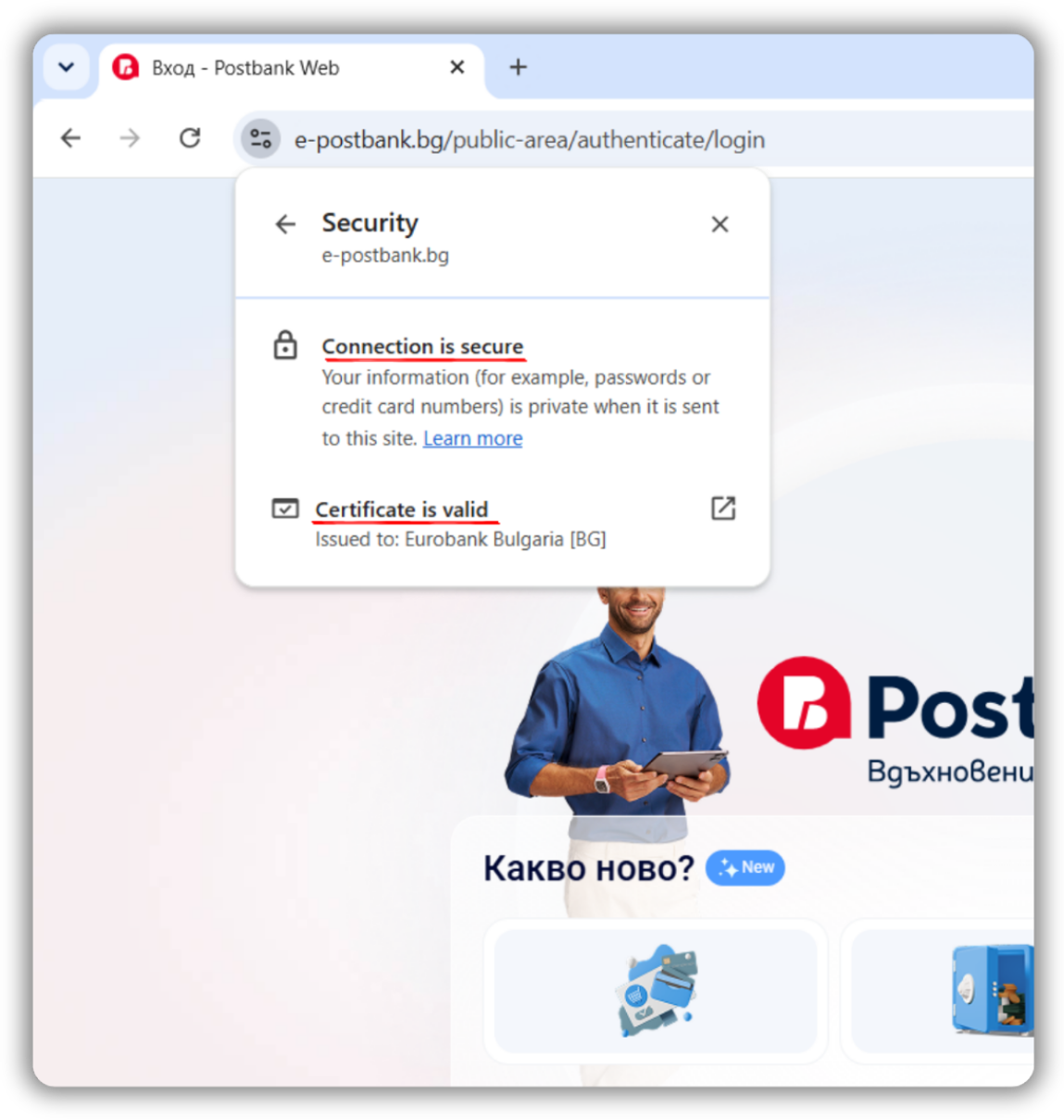
Check HTTPS – make sure the URL starts with https://,, which indicates a secure connection.
Check the SSL certificate – ensure it is valid and issued to the organisation whose website you are visiting.
If you do fall victim to phishing
Ring 0700 18 555 or the short number *7224 to have your cards and Internet Banking blocked.
Forward the suspicious email to antiphishing@postbank.bg — your information helps us protect other customers too.